 Tuesday, October 27, 2026
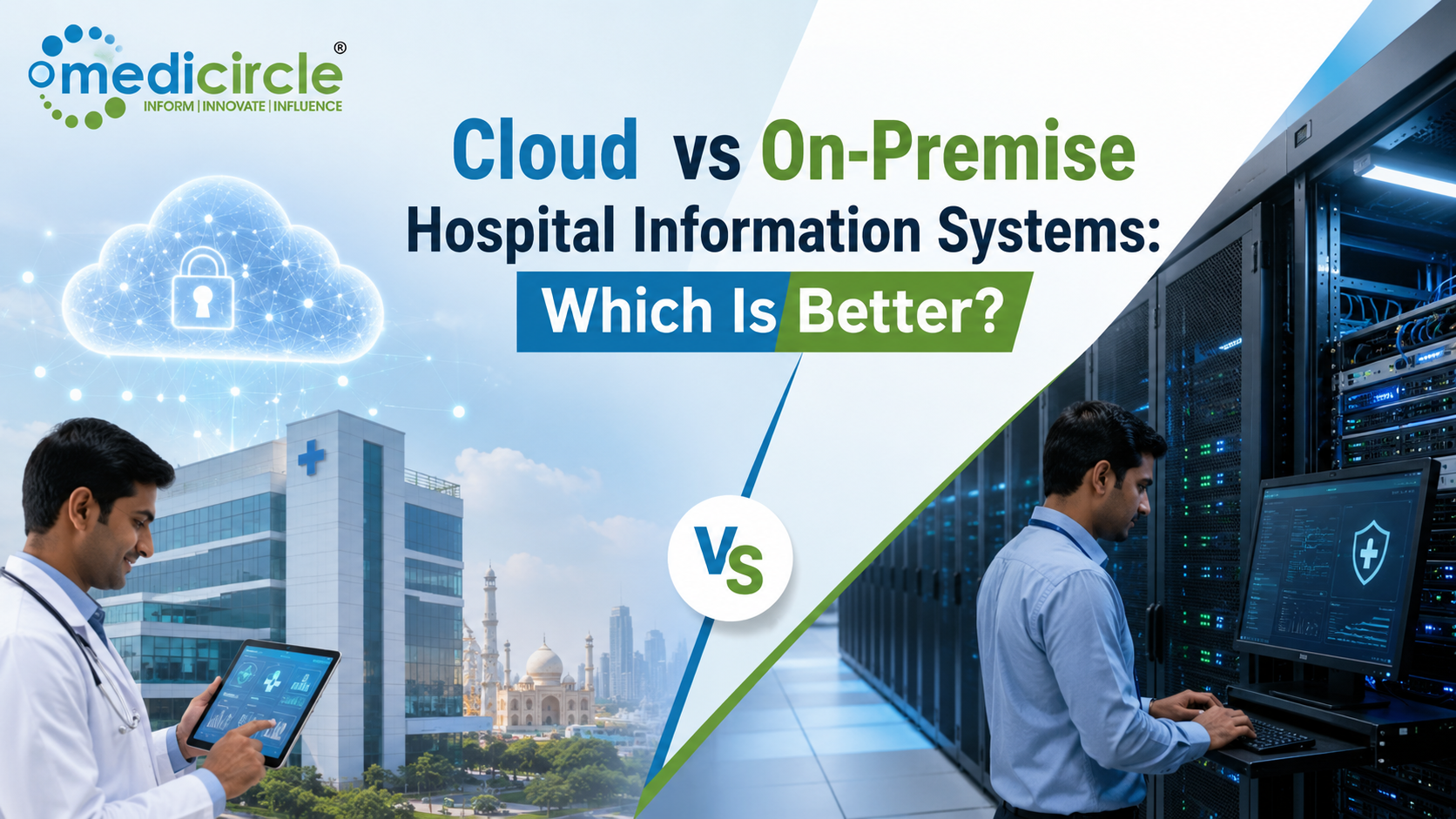
 A Hospital Information System (HIS) serves as the foundation of modern healthcare operations, influencing everything from patient data management and billing efficiency to regulatory compliance and IT costs. The right HIS architecture enables seamless workflows, secure information exchange, and scalable growth, helping healthcare organizations improve both operational performance and patient care outcomes.




Cloud vs On-Premise Hospital Information Systems: Which Is Better?
The operational core of modern healthcare delivery relies entirely on the architecture of your Hospital Information System (HIS). Whether you are managing a rapidly growing multi-specialty nursing home, an expansive clinical research center, or a corporate hospital group, your system setup directly dictates how securely patient records travel, how fluidly billing engines process Third-Party Administrator (TPA) logs, and how much your IT budget is drained by yearly server maintenance.
The health-tech ecosystem is deeply divided over a central infrastructural choice: Cloud-based Software-as-a-Service (SaaS) models versus legacy On-Premise server installations.
While old-school clinical configurations historically demanded heavy physical server racks locked safely within a backroom, the rapid expansion of secure web platforms has disrupted the landscape. Evaluating which infrastructure is truly "better" requires looking beyond generic marketing slogans and directly analyzing your facility's bed capacity, implementation runway, data privacy compliance, and 5-year financial capabilities.
1. Structural Comparison of System Frameworks
Understanding how information flows across your facility helps clarify the core architectural differences between a decentralized web gateway and localized physical servers.
2. In-Depth Operational Breakdown: Cloud vs. On-Premise
Cloud-Based HIS (The Agile SaaS Continuum)Cloud-native software operates completely off-site, hosted on elite, secured cloud server arrays such as Amazon Web Services (AWS) or Microsoft Azure. Your clinical staff gains access to custom EMR charts, visual bed boards, and real-time laboratory information systems (LIS) using any standard, secure web browser on standard laptops, tablets, or thin clients.
- The Financial Advantage: Cloud architectures completely eliminate upfront capital expenditures (CapEx). You swap out expensive hardware purchases for a highly predictable, recurring operational expense (OpEx) that scales fluidly based on your active bed capacity or doctor headcount.
- The Maintenance Moat: System patches, mandatory regulatory updates (such as shifting local tax compliance or national digital health mission changes like ABDM integration), and real-time off-site backups are managed automatically by the vendor. Your in-house staff experiences zero operational downtime and requires no specialized IT engineering team on the payroll.
An on-premise installation treats data security as a physical parameter. The entire database engine, clinical EMR registry, and processing network reside locally on physical servers installed inside an air-conditioned server room directly inside your hospital building.
- The Control Factor: Your administrative board maintains absolute ownership over the physical hardware and data storage banks. The system does not depend on an external internet connection to process localized intra-hospital workflows; if your main fiber optic line drops, a floor nurse can still update emergency ward charts and process local billing files smoothly.
- The Customization Capacity: Large-scale academic medical environments or teaching wards that manage complex clinical research registries often lean toward on-premise solutions. This architecture allows their internal tech teams to write bespoke code structures, build highly custom API endpoints, and wire deep legacy medical device integrations manually.
3. Comparative Matrix: Architectural Trade-offs
The matrix below contrasts critical operational parameters to help you align your selection with your facility's physical scale.
|
Operational Performance Metric |
Cloud-Native SaaS Model |
On-Premise Server Array |
|---|---|---|
|
Upfront Financial Outlay |
Extremely Low; minimal setup fees and predictable monthly subscriptions. |
Incredibly Heavy; major capital spend on enterprise licenses and server hardware. |
|
Go-Live Deployment Speed |
Rapid Transition; system parameters can go live within a few days to a couple of weeks. |
Long Runway; structural configuration can take 6 months to a year of manual tuning. |
|
Data Backup & Security |
Automated, encrypted real-time data replication across diverse off-site cloud banks. |
Depends entirely on local IT personnel manually executing physical backup protocols. |
|
Internet Dependency |
High; requires reliable, redundant broadband or fiber lines to avoid workflow friction. |
Zero; local network routing keeps clinics running smoothly during external internet outages. |
|
Compliance Management |
Handled seamlessly via real-time cloud updates provided directly by the vendor. |
Requires local IT teams to manually install updates, verify patches, and audit server health. |
4. The 5-Year Total Cost of Ownership (TCO) Reality
A common strategic pitfall when selecting an HMS is looking exclusively at Year 1 costs. A realistic choice demands a comprehensive 5-year evaluation, analyzing hidden overhead metrics that creep into physical setups over time.
[ LEGACY ON-PREMISE 5-YEAR DRAINS ] ◄───► [ MODERN CLOUD SAAS 5-YEAR MAP ]
┌────────────────────────────────────┐ ┌────────────────────────────────────┐
│ • Upfront License: ₹5,00,000 │ │ • Upfront License: ₹0 │
│ • Server Hardware: ₹4,00,000 │ │ • Server Hardware: ₹0 │
│ • 20% Annual AMC: ₹5,00,000 │ │ • 20% Annual AMC: ₹0 │
│ • Local IT Staff: ₹12,00,000 │ │ • Local IT Staff: ₹0 │
│ • Server AC/Power: ₹3,00,000 │ │ • All-In Subscription:~₹4,50,000 │
└────────────────────────────────────┘ └────────────────────────────────────┘
TOTAL ESTIMATED COST: ~₹29,00,000 TOTAL ESTIMATED COST: ~₹4,50,000
Actionable Strategy: Selecting the Definite Winner
Choose a Cloud-Based HIS if:- You are running a small clinic, a mid-sized nursing home, or a rapidly growing 15-to-100-bed multi-specialty hospital looking to maximize resource efficiency.
- You want to avoid the administrative burden of running a physical server room, hiring dedicated network engineers, and managing complex database security protocols.
- Your facility requires seamless, native integration with national digital initiatives (such as ABDM registries in India) and needs a platform that goes live in less than a month.
- You are directing a massive enterprise healthcare network, a public university teaching facility, or an institution managing hundreds of physical beds simultaneously.
- Your local geographic region experiences highly volatile or unreliable general internet connectivity, requiring offline local hosting to ensure 24/7 clinical continuity.
- Your clinical board operates highly specialized, custom research pipelines that require manual data structures and direct control over physical hard drives.
Frequently Asked Questions (FAQs)
Q1. Is a cloud-based HIS less secure than an on-premise system?No, this is a common security myth. While an on-premise system provides physical isolation, it is only as secure as your building's security and your local IT team's patch hygiene. Top-tier cloud platforms leverage institutional-grade infrastructure (like AWS or Azure) featuring continuous end-to-end encryption, automated real-time off-site backups, and routine penetration testing, delivering a significantly higher defensive posture than a typical hospital backroom server.
Q2. What happens to a cloud HIS if the hospital's internet connection drops?If your internet drops, a pure cloud HIS cannot be accessed until connectivity is restored. To mitigate this vulnerability, modern hospitals deploying cloud software invest in affordable, redundant internet loops: setting up a primary hardwired fiber line paired with an automated backup cellular 5G router. This configuration guarantees uninterrupted clinical operations at a fraction of the cost of buying local servers.
Q3. How does data privacy compliance (like HIPAA or ABDM) impact the cloud vs. on-premise choice?Both models can achieve full compliance, but the operational burden differs drastically. In a cloud model, the vendor builds and updates compliance frameworks (such as secure ABHA ID logging or encrypted record routing) directly within the software patches. In an on-premise environment, your hospital assumes full legal liability for securing data access logs, enforcing encryption, and passing statutory data privacy audits manually.
Q4. Can an on-premise HIS be converted to a cloud system later if the hospital expands?Yes, but it requires a structured data migration protocol. Your tech team must export your entire on-premise database into standardized flat files (such as Excel or CSV logs) while verifying data integrity. Your new cloud vendor will then map those historical clinical lifecycles, billing histories, and patient charts into the cloud dashboard, a transition that typically requires professional data engineering hours.
Q5. Why is the implementation timeline for on-premise software so long?On-premise deployments require extensive physical setup before software installation even begins. Your team must construct secure server rooms, map complex physical network wiring across floors, install local databases, set up individual client terminals, and manually code specialty templates. A cloud-native platform bypasses local hardware setup completely, allowing you to begin system mapping immediately through a web link.
Q6. Do cloud-based hospital information systems charge separate maintenance fees?No. One of the primary advantages of a cloud SaaS model is that software support, security maintenance, server hosting fees, and routine update patches are bundled directly into your single, predictable monthly or annual subscription rate. This completely protects your facility from surprise invoices or annual contract spikes.
Q7. What exactly is an Annual Maintenance Contract (AMC) in an on-premise framework?An Annual Maintenance Contract (AMC) is a mandatory recurring fee charged by on-premise software developers to keep their technical support active and provide system patches. In India, standard AMC rates range from 12% to 20% of the initial upfront license value every year, representing a significant long-term financial drain that must be factored into your capital planning.
Q8. How do role-based access controls (RBAC) operate across cloud and on-premise dashboards?The software logic remains identical in both setups. RBAC allows administrators to configure precise, granular user visibility profiles based strictly on employment function. For example, a floor nurse locks purely into active vitals and medication sheets, a pharmacist views stock levels, and a front-desk billing clerk handles invoices with absolute zero access to a patient’s private clinical pathology notes.
Q9. Can doctors access patient records from home using a cloud-based HIS?Yes, absolutely. Because a cloud platform is accessible via secure, encrypted web pathways, doctors can securely review patient histories, audit laboratory diagnostic reports, or sign off digital prescriptions from home or an outside clinic using a secure device. On-premise setups require configuring complex Virtual Private Networks (VPNs) to enable remote access safely.
Q10. Which model offers a better return on investment (ROI) for a 30-bed nursing home?For a 30-bed multi-specialty facility, a cloud-native HIS delivers an overwhelming return on investment. Bypassing the heavy capital drain of buying local servers preserves your operational cash flow for medical equipment. Furthermore, the rapid go-live timeline allows your reception and pharmacy to plug billing gaps, automate inventory tracking, and accelerate patient discharge times within days of signing your subscription.




-23-300x250.png)

.jpeg)

.jpg)
.jpg)
.jpg)
.jpg)
.jpg)
.jpg)
.jpg)
.jpg)
.jpg)